Earn
Earn



















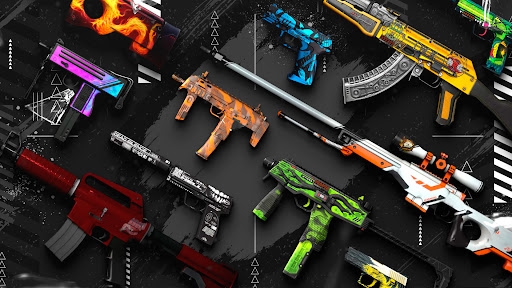
A Practical Guide to Buying CS2 Skins for a New Inventory
CS2 skins are more than just pretty designs these days. Some people use them to look good in a game, others buy and sell them to make profit, and some hold onto them like an investment. No matter how you look at it, picking the right skins saves you time and helps you get more value from your money. So, let's get into it and see how you can grow your CS2 inventory the right way.
Choosing the Right CS2 Skins
There are hundreds of skins out there, and each one comes with its own traits and price tag. So how do the best players pick theirs? Here are some of the most common habits they follow when choosing skins:
Understand What You Need It For
The first question to ask yourself is what you are going to do with the skin. Are you buying it to use in game, to trade later, or to hold onto as an investment? Each purpose points you toward a different type of skin. If you are trading, liquidity matters more than looks. If you are investing, condition and rarity carry more weight.
Know Your Budget Before You Browse
It sounds simple but most people skip this step. Going into the market without a clear budget is how you end up overspending on something you did not plan for. Decide on a number you are comfortable with before you open any platform. This also helps you narrow down your options quickly because the CS2 skin market is huge and having a price range turns an overwhelming list into a manageable one.
Do Not Ignore the Skin's Track Record
A skin's price history tells you a lot about whether it is worth buying right now. If a skin has been slowly going up in value over time, that is a good sign. There are many tools to check skin price history, like Skinsbook and others similar to it. If it keeps dropping, there is usually a reason behind it. Pay close attention to how the skin behaves after major updates or tournaments because those moments reveal how sensitive it is to market changes. A skin that holds its value through hype cycles is almost always a safer and smarter buy than one that only spikes and crashes.
Where to Buy CS2 Skins
Okay, so you picked your skin. What comes next? Finding the best place to buy CS2 skins, and honestly, this step matters more than most people think. Here is what you need to know:
Steam Market
Steam is the most obvious starting point and for good reason. It is official, it is safe, and almost every skin you can think of is listed there. The problem is the fees. Steam takes a cut from every transaction, and you can only use your funds inside the Steam ecosystem, meaning you cannot cash out. It is a great place to check prices and buy occasionally but not the most cost-efficient option if you are buying regularly.
Third-Party Platforms
Third-party platforms offer the same skins as Steam but usually at lower prices. They also let you pay with real money methods like cards or crypto and withdraw your earnings too. The trade-off is that not all third-party platforms are equally trustworthy. Stick to well-known names with strong user reviews and proper security measures. The savings are real but only if you are using a platform that has a solid reputation behind it.
Peer to Peer Trading
Buying directly from another player cuts out the middleman completely, which means lower prices and more room to negotiate. Communities on Reddit, Discord, and dedicated trading forums are full of sellers looking for direct deals. The catch is that peer-to-peer trading carries more risk. There is no platform protecting you if something goes wrong. Only trade with people who have verified profiles and a history of clean deals and never skip using a trusted middleman service when the price is high.
Cutting Your Skin Acquisition Costs
Now, how much should you spend on skins? That really comes down to how much spare money you have. But no matter your budget, these simple habits can help you spend less and get more:
Buy During Price Dips
These works and the data back it up. Skin prices fluctuate regularly based on game updates, tournaments, and seasonal activity. Instead of buying whenever you feel like it, track the skin you want on a price history tool and wait for a visible dip. Even waiting a few days after a price spike can save you anywhere from ten to thirty percent on the same skin.
Buy in Bulk When You Can
If you are planning to buy multiple skins, doing it all at once on certain third-party platforms can work in your favor. Some platforms offer lower fees on larger transactions, and some sellers are open to small discounts when moving multiple items at once. It is also worth reaching out directly to sellers in trading communities when buying more than one skin. Most are willing to negotiate when there is a bigger deal on the table.
Use Cashback and Promo Codes
Several third-party platforms run promotions, referral programs, and cashback deals that most buyers completely ignore. The platforms regularly offer discount codes through their social media pages or partner creators. Signing up for platform newsletters or following their channels takes two minutes and can consistently save you a few percent on every purchase. Small percentages add up fast when you are buying skins regularly over time.
Conclusion
And that is everything you need to know about adding new skins to your CS2 inventory. We kept this guide simple and straight to the point so you can act right away. Hope you found it helpful, and we will see you in the next guide!