Earn
Earn






















By: Gamehag on August 25, 2020

How to create a successful game on Roblox Studio
Roblox is created in 2006, the year where most of the games starts to develop. Along with Roblox Studio, it's a very useful and simple application that can create a game and publish it without doing all the coding and all sort of stuff you need to go through. You only have to click "publish to roblox" and you're done, but is the game you are creating are aiming for audience? Is the idea taken by someone already? Does the tutorials on youtube help you that much? Well in the article it tells you the basics of developing a game in Roblox Studio.
Inside Roblox studio:First start with main thing : spawn point / lobby
What audience are expecting to see:
When players join the game, they are expecting a view of the game, and it needs to match the title and the description of the game. If you put "Escape Jail" in your title and inside of the game is just a maze and walls, people will lose interest on your game and they don't want to get click bait. So make sure to make the lobby or the content inside the game unique than anyone else that's ever created the genre of your game you are creating, so not only it attracts players, but they also get a brand new experience of your game, if you are just creating the game that is copying a very popular game, the maximum players you can get is only about 0-200 active players. And their time spending on this game will be less than 30 minutes.
What you are suppose to aim:
The first main thing to do while creating a spawn point / lobby, it has to look nice and have a design with it. Without design and good quality, people lose interest playing your game, so make sure to contain a lot of creative models inside the game. The second thing is not to use yellow / red or bright color because when players stares at their screen, it really hurts their eyes and it's quite uncomfortable for them too, so using those color will decrease the attraction towards customers.
Designs really helps a lot even if it's a bunch of square on the walls, it's still a design. Even players won't notice it, it's still contributing the view of the lobby, if it's plain white wall without design, the overall of the lobby is not looking great. So use design or materials(optional) to add the effects towards your lobby.

The content inside the game:
Attracting players so they spend more time in it.
One thing a player love is an item shop, and also a level system where players can show off their stats. Not only you gain more in-game time, but also visits. Because without these main things, players will lose interests and they will rarely join again unlike Adopt Me or Phantom Forces where big amount of players join the game daily. If you don't know how to make UIs and coding, you can go watch the tutorials on youtube and they really help a lot.
You don't want to have an end, unless it's a story game or an obby.
No ending games:
If you want to create like a simulator or a gun game or a game that doesn't have an ending, I prefer you to make a map where players can spawn in and you want to make sure it's simple so younger audience knows how to play and interact with the game. You also want to set the max player to 10 - 25 because if it's under 10, less players can join in a server and there aren't much interaction between the players. If it's over 25, this may cause older PC to lag or even get FPS drop. And also the more player there is, the more time it takes to join a game. Same with the parts / models, if there are too many models or parts in an area or in the overall game, it's going to be laggy for players. So I suggest to make a secondary game if this occur, but only if you an extra gamemode.

Story games:
If you want to create a story game, you need to be good with animation and coding. You also want to be very simple and try to help as much as possible towards players so they know where and what to do. To make a story game, you need to have a main game where people can get into places so the actual game starts. And the main game is to sort out who is in which server and when does it start. You want to make the player limit to 60 so that players can join and they easily get a ready server to start with. And also set the actual story game to 12 players to decrease the amount of coding you're doing and also the lag of course.
You also want a main objective in the Story game you are creating, like beat the evil witch or escape the factory, you need to contain in both your game's title and description, and if possible you can add a badge. Gamepasses / shop for this type of game is no need, but it's optional. Containing more characters and more places will gain player's interest and they might grab their friends with it next time, and also don't make it easy and short because if you do that, the players won't feel challenging and it doesn't take efforts and skills to complete it, so I suggest to make it medium and around 10 minutes-15 minutes.

An obby game
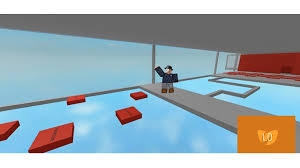
Creating an obby game is probably the simplest thing in all of the 3 main genre, not only most of it is modeling and creating repetitive obby, but it's so popular a random obby game can have more than 400 active players, but there is a very strict rule : never import an obby that already exists, even if the obby you're creating is repetitive and requires the same skill to complete it, but just try to make it unique. You want to have an end so player can feel proud of their progress, although without coding the game, you get a lot of players but you gain less "active players in your game", which means most of the players in the game will only join less than 3 times, but if you code it so that obby changes when the time is up... BOOM, your game is going to be slightly popular and player won't lose interest, also contain 50 + types of obby so players will never get bored with it. But if you just want to avoid coding, creating a simple obby is an option.
If you do enjoy this article, and learn something new, you can like it and it means a lot to me, this article was written completely without source, it's a self opinion so I hope you enjoy. comment if anything is wrong.